
| This article explains what the Red Light, Green Light app is, how to play, and how admins add Red Light, Green Light to a world. |
Keep reading to learn about:
 Playing Red Light, Green Light
Tips for Red Light, Green Light
Red Light, Green Light for Admins
What is Red Light, Green Light?
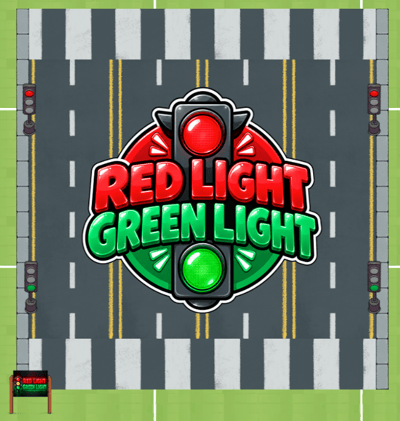
Red Light, Green Light is a digital take on the classic playground game. Players line up at a starting line and race toward the finish line, but they can only move while the stoplight is green, anyone caught moving on a red light gets sent straight back to the start.
The first player to cross the finish line wins, and the game keeps running until the top three players finish. Red Light, Green Light is a multiplayer game and can be played with 2 or more players.
 |
Playing Red Light, Green Light
Everyone can play Red Light, Green Light! You'll need at least 2 players to start the game, and up to 10 players can play at the same time.
If you don't have someone to play with, try sending a message in the 'Everyone in World' chat channel and invite someone to join your game. When one player joins a game, an Activity Feed notification will also appear automatically with an option to Teleport to the game. This gives folks a heads up that a game needs more players to begin.
To Play Red Light, Green Light:
- Move your avatar into the Red Light, Green Light game area and click the 'Join' button.

- Wait for the host to start the Game. If you are the host, Click 'Click here to start!' button to begin the game.
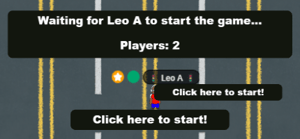
- A countdown begins automatically.
Note: players who join after the countdown finishes become spectators, they can walk around the game area but can't take part in the round. Hang tight and join the next round. - Get in position. When the countdown ends, everyone is teleported to the starting line and the stoplight appears on your screen. The nameplate above your avatar updates to show you're an active player.
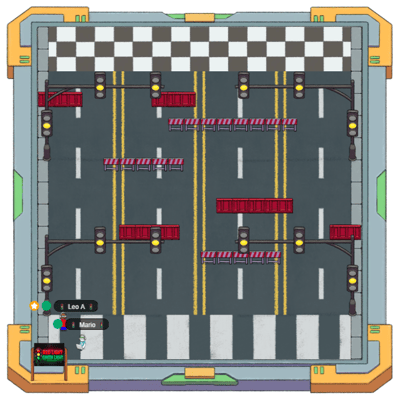
- Watch the stoplight and move on green. The light starts on red and alternates between red, yellow and green throughout the game.
- Stop before the light turns red. There's a short grace period when the light changes, but if you're still moving on red you'll be teleported back to the starting line and have to run it again.
- Cross the finish line to win! The first player across takes the win, and the game continues until the top three players have finished.
Note: Once the first player crosses, you will only have 30s left to cross for the 2nd and 3rd spot before the game ends.
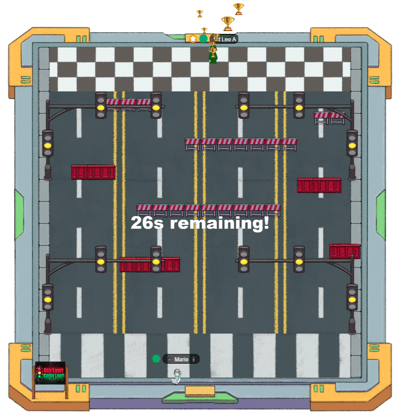
If you leave the game while others are still playing, you will need to exit at the starting area.
Tips for Playing Red Light, Green Light
- Stop before the light does! Waiting a beat before the light changes is safer than squeezing in one more step.
- Getting sent back isn't the end. Plenty of players get teleported to the start, the game waits for the top three finishers, so there's still a spot to race for.
- Short bursts beat one long run. Moving in small, controlled bursts makes it much easier to stop the moment the light turns red.
- Cheer each other on. If you joined too late for this round, you can still walk around the area and watch the finish before the next game starts.
- Watch out for obstacles! You need to go around the barricades to cross over.
Red Light, Green Light for Admins
Editors, Designers, Managers, or world Owners can add the Red Light, Green Light app to a world.
To Add Red Light, Green Light:
- Enter Builder Mode: Click Builder Mode in the left sidebar or press B on your keyboard.
- Click Scenes in the left sidebar.
- Search for 'Red Light, Green Light' in the Filter Results search bar.
- Hover over the thumbnail image and click Drop Scene.
- Click an area in the world to drop Red Light, Green Light in that location.
Red Light, Green Light has a maximum of 10 players capacity, you can drop multiple copies if you have more students that want to play.