
|
This article explains what Glitch Lava is, how to play, and how admins add Glitch Lava to a world. |
Keep reading to learn about:
 Adding the Glitch Lava App to a World
What is Glitch Lava?
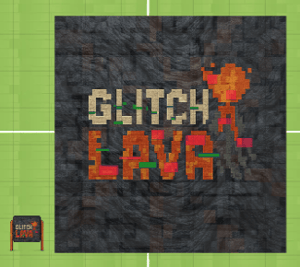
Glitch Lava is a fast-paced solo or multiplayer game. Players avoid the lava for as long as possible while the floor glitches around them. Stand on the green platforms to earn bonus points. Touch the lava and the game ends. The team that survives the longest takes the crown!
 |
Playing Glitch Lava
Everyone can play Glitch Lava! When multiple players join the game, they play as a team. When a single player joins the game, they play solo.
To Play Glitch Lava:
- Move your avatar into the Glitch Lava game area and click the 'Join' button on the left side of your screen. The first player to click 'Join' is the host.

- Optional: Hover over the Games
 icon on the left side of your screen to open the menu. Toggle on Focus to keep your screen centered on Glitch Lava. Click Pin
  to keep the menu open.
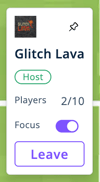
- After all players have joined the game, the host clicks Start Game. The first round begins after a 5-second countdown.
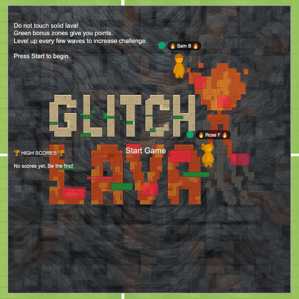
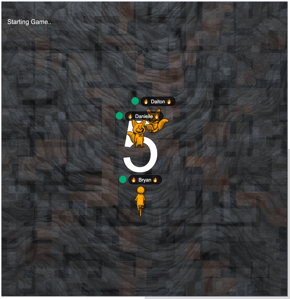
- At the start of each wave (or round), watch for warm orange lava platforms glitching into view. Move your avatar away from the warm orange lava. Stand on a green platform to earn bonus points. But be careful, the green platform might be in the lava!
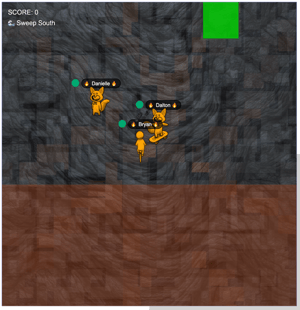
- Avoid touching or standing on red hot lava. Touching lava ends the wave for everyone.
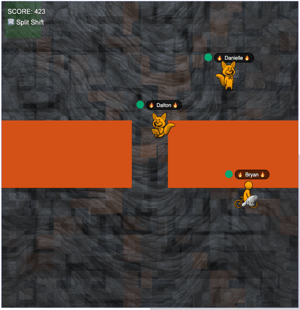
- Survive as many waves as possible to increase your final score!
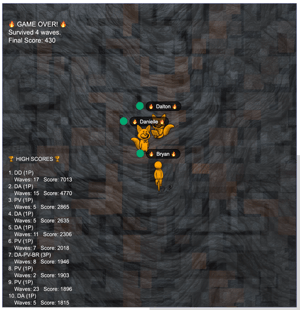
Stay alert! Some lava platforms move. If you stay in one place too long, you might end up in the lava!
Glitch Lava for Admins
Editors, Designers, Managers, or world Owners can add the Glitch Lava app to their world.
To Add Glitch Lava:
- Click Scenes
 in the left sidebar.
 - Search for 'Glitch Lava' in the
 Filter Results search bar.
 - Hover over the thumbnail image and click Drop Scene
 .
.
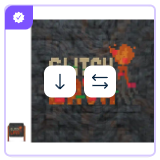
- Click an area in the world to drop the Glitch Lava app in that location.