
| This article explains what Tic-Tac-Toe is, how to play, and how admins add the Tic-Tac-Toe app to a world. |
Keep reading to learn about:

Adding the Tic-Tac-Toe app to a World
What is Tic-Tac-Toe?
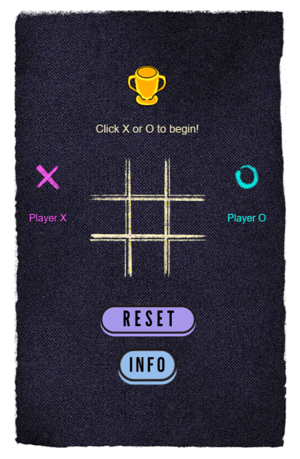
Tic-Tac-Toe is a classic two person sidewalk chalk game in SchoolSpace. Players take turns marking either an 'X' or an 'O' in empty squares. The objective is to be the first to create a horizontal, vertical, or diagonal line of three of your marks.
 |
Playing Tic-Tac-Toe
Everyone can play Tic-Tac-Toe! Two players are needed to start the game.
To Play Tic-Tac-Toe:
-
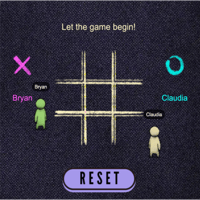
Click either the 'X' or 'O' and have your opponent click the other. After both players click an option, the game will start.
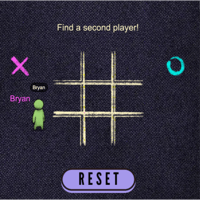
- If you don't have someone to play with, try sending a message in the 'Everyone in World' chat channel and invite someone to join your game.
- An Activity Feed notification with an option to teleport to the game will also appear automatically to give folks a heads up that a game needs another player to begin.
-
The text above the board shows whose turn it is right now. Click a space in the board to place your piece. Like traditional tic-tac-toe, the objective is to get 3 symbols in a row diagonally, across or up and down.
-
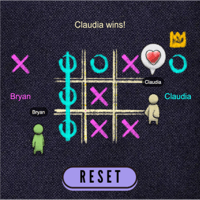
The game ends when one player wins by having three in a row or all spaces in the board are filled.
-
To clear the board and start a new game:
-
Click the 'Reset' button in the world.
- Click 'Yes, Reset' button on the app drawer.

-
To See the Leaderboard and Badges:
- Click the Trophy asset in the world.

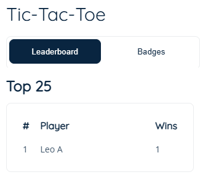
- The Leaderboard will open in the app drawer showing Top 25 players.
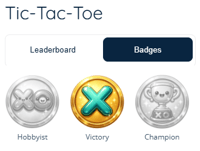
- Click Badges to view available badges.
Tic-Tac-Toe for Admins
Editors, Designers, Managers, or world Owners can add the Tic-Tac-Toe app to their world. Admins can also reset the leaderboard.
To Add Tic-Tac-Toe:
- Click Scenes
 in the left sidebar.
 - Search for 'Tic-Tac-Toe' in the
 Filter Results search bar.
 - Hover over the thumbnail image and click Drop Scene
 .
.
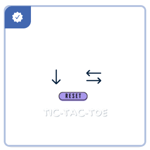
- Click an area in the world to drop the Tic-Tac-Toe app in that location.
- Tip: Place a darker background asset and then place Tic-Tac-Toe on top of this asset. This will make the board easier to see. Search the Asset Library for 'TicTacToe blacktop' for the perfect background!
- Tip: Place multiple Tic-Tac-Toe apps in your world so multiple pairs of students can play at the same time. The 'TicTacToe blacktop' asset is larger enough for two Tic-Tac-Toe apps.
- Players can click the 'Info' asset to open game instructions in the world.
-
To clear the board and start a new game:
-
Click the 'Reset' button in the world.
- Click 'Yes, Reset' button on the app drawer.
-
To Reset the Leaderboard:
- Click the Trophy asset in the world.
- The Leaderboard will open in the app drawer showing Top 25 players and a Reset button.
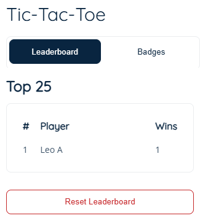
- Click Reset Leaderboard, then click Ok to confirm.