
| This article explains what the Last Card app is, how to play, and how admins can add Last Card to a world. |
Keep reading to learn about:

What is Last Card?
Last Card is a fast-paced card game for 2 - 4 players where the objective is simple: get rid of every card in your hand. Everyone starts with 5 cards and takes turns matching a card to the last played card by suit or rank. Watch out for wild Jokers! When a player uses a Joker they can choose a new suit and control the round.
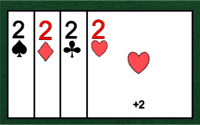
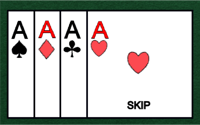
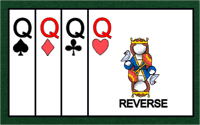
Use special cards to your advantage: playing a 2 forces the next player to draw two, an Ace skips the next player’s turn, and a Queen reverses the order of play. Can’t match? Draw one card and your turn ends. The first player to get rid of all of their cards wins!
 |
Playing Last Card
Everyone can play Last Card! You'll need 2 - 4 players to start the game.
If you don't have someone to play with, try sending a message in the 'Everyone in World' chat channel and invite someone to join your game. When one player starts a new game, an Activity Feed notification will also appear automatically with an option to Teleport  to the game to give folks a heads up that a game needs more players to begin.
To Play Last Card:
- Move your avatar into the Last Card game area and click the Join button on the left side of your screen. The first player to click 'Join' is the host.

- Select the red question mark ❓ in the upper right corner of the game to open a quick run through of the rules.
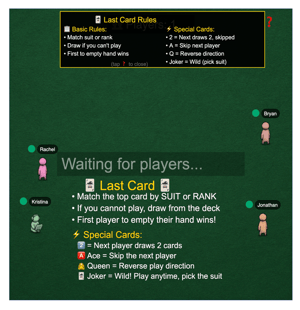
- Last Card can be played with 2 - 4 players. After at least 2 players have joined the game, click 'Start Game' to begin!
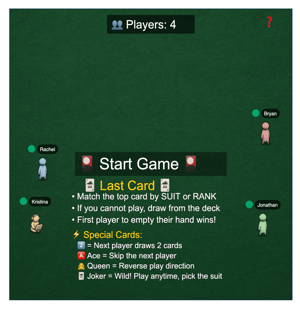
- Each player starts with 5 cards in their hand. When it's your turn, you can either:
- Play a Card: Choose one card that matches the last played card in the center of the game. Some card have special powers (see step 5). You may play a card if it matches:
- Suit: Spades ♠️, Hearts ♥️, Clubs ♣️, Diamonds♦️
- Rank: Ace, 2, 3, 4, 5, 6, 7, 8, 9, 10, Jack, Queen, King
- Is A Joker: 🃏
This player could play the 2 of Hearts (next player would have to draw 2 cards), Jack of Hearts, or Joker (and choose a new suit). What would you do? 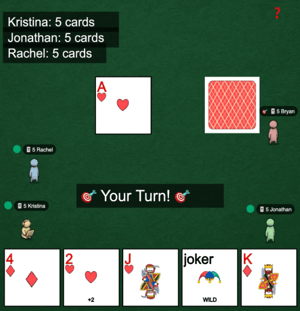
- Draw a Card: If you cannot match the suit or rank of the card in the center of the game and don’t have a Joker, you must click the deck to draw 1 additional card. Your turn ends and the game moves on to the next player.

- Play a Card: Choose one card that matches the last played card in the center of the game. Some card have special powers (see step 5). You may play a card if it matches:
- Watch out for these special cards!
- 2: Forces the next player to draw 2 cards.
- Ace: Skips the next player.
- Queen: Reverses the order of play.
- Joker: These are wild! The person who played a Joker can change the suit of the top card.

- The first player to empty their entire hand and get rid of all of their cards wins!
Last Card for Admins
Editors, Designers, Managers, or world Owners can add the Last Card app to their world.
To Add Last Card:
- Click Scenes
 in the left sidebar.
 - Search for 'Last Card' in the
 Filter Results search bar.
 - Hover over the thumbnail image and click Drop Scene
 .
.
- Click an area in the world to drop the Last Card app in that location.