
| This article explains what Wiggle is, how to play, and how admins add the Wiggle app to a world. |
Keep reading to learn about:
 Adding the Wiggle App to a World
What is Wiggle?
Wiggle is a fun single or multiplayer game where you control a colorful snake. When your snake eats food it grows. But be careful! Don’t crash into other snakes. The more you grow, the harder the game gets. Stay alive as long as you can and try to become the biggest snake in the world!
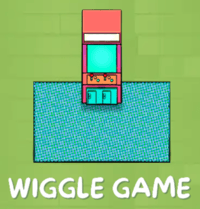 |
Playing Wiggle
Everyone can play Wiggle! Wiggle can be played by multiple people at the same time or play by yourself against the bots. Click 'Wiggle Game' (the white text) to open instructions in the world or follow the steps below to play!
To Play Wiggle:
- Move your avatar into the Wiggle game area (look for the blue floor). It may be easier to use your arrow keys instead of clicking to move.
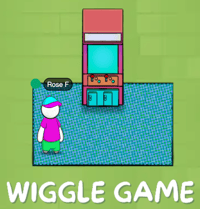
- Click the Wiggle arcade to open the game, then click Join Game.
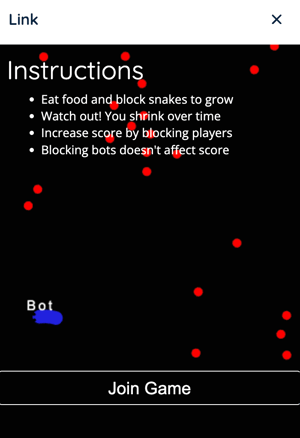
- Move your cursor around inside the game to:
- Steer your snake toward food to grow.
- Avoid other snakes.
- Block other snakes from eating food to earn points. Blocking bots will not add points.
- If you crash into another snake, your game will end. Click Try Again to rejoin!
If your avatar is standing outside the Wiggle game area when you click the arcade, you'll only be able to watch the game as a spectator. To join the game you'll need to move inside the game area.
Wiggle for Admins
Editors, Designers, Managers, or world Owners can add the Wiggle app to their world.
To Add Wiggle:
- Click Scenes
 in the left sidebar.
 - Search for 'Wiggle' in the
 Filter Results search bar.
 - Hover over the thumbnail image and click Drop Scene
 .
.
- Click an area in the world to drop the Wiggle app in that location.
- Players can click the 'Wiggle Game' asset (white text) to open game instructions in the world.
If students have trouble walking into the game area, have them use their arrow keys instead of clicking to walk.