
|
This article explains what Sushi Smash is, how to play, and how admins add Sushi Smash to a world. |
Keep reading to learn about:

What is Sushi Smash?
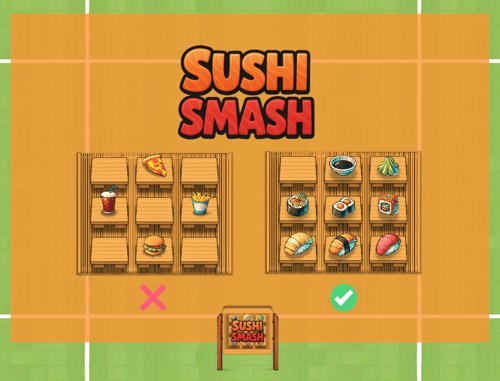
Sushi Smash is a fast paced solo or two-player game where players earn points by clicking on sushi items and lose points by clicking on junk food.
 |
Playing Sushi Smash
Everyone can play Sushi Smash! You can play solo or with 2 players.
To Play Sushi Smash:
-
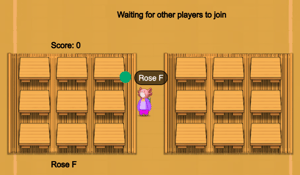
Move your avatar into the Sushi Smash game area and click the 'Join' button on the left side of your screen. The first player to click 'Join' is the host.

-
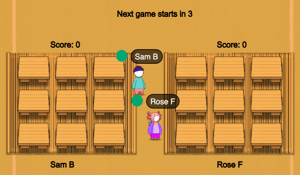
After the first player clicks 'Join,' the game will wait for another player. When a second player clicks 'Join,' a 5-second countdown will begin. If no one else joins, you can play solo! The 5-second countdown will start automatically after the waiting period ends.
-
Optional: Hover over the Games
 icon on the left side of your screen to open the menu. Toggle on Focus to keep your screen centered on Sushi Smash. Click Pin
  to keep the menu open.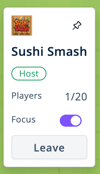
-
Your name will appear below your sushi mat. When the countdown ends:
-
Click sushi items on your mat to earn points (1 point per item).
-
Don't click the junk food on your mat, you lose 1 point for each junk food item you click.
-
Your score is shown above your sushi mat.
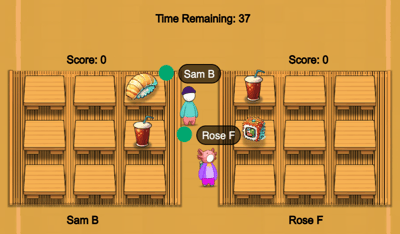
-
-
To leave the game:
-
Walk out of the game area. This will start a countdown. After the countdown, you may see a pop-up asking you to confirm if you want to leave the game.
-
Click the Leave button on the left side of your screen.

-
If the host (the first player to join) leaves the game, the game will end for all players.
| Avoid the junk food! | Click the sushi! | |
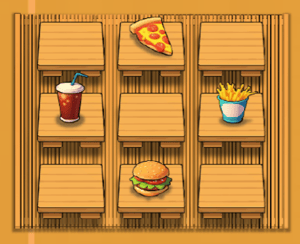 |
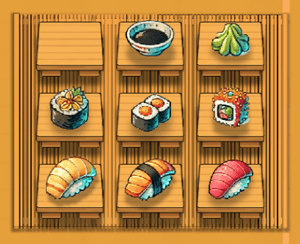 |
Sushi Smash for Admins
Editors, Designers, Managers, or world Owners can add the Sushi Smash app to their world.
To Add Sushi Smash:
-
Enter Builder Mode: Click Builder Mode
 in the left sidebar or press B on your keyboard.
 -
Click Scenes
 in the left sidebar.
 -
Search for 'Sushi Smash' in the
 Filter Results search bar.
 -
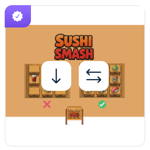
Hover over the thumbnail image and click Drop Scene
 .
.
-
Click an area in the world to drop Sushi Smash in that location.