
| This article explains what the Epic Pong app is, how to play, and how admins can add Epic Pong to a world. |
Keep reading to learn about:
 Adding the Epic Pong App to a World
What is Epic Pong?
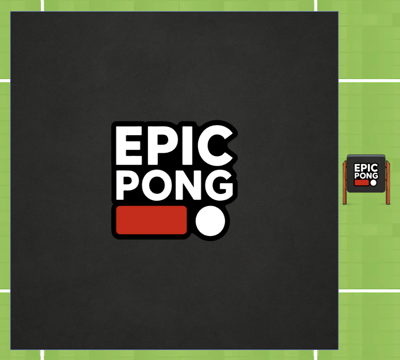
Epic Pong is a fast, arcade-style pong match for 2 or 4 players. Each player uses a paddle to defend their side of the game board. There are three rounds and each round has different paddle controls. Keep the ball from getting past your paddle and win rounds by being the last player standing!
 |
Playing Epic Pong
Everyone can play Epic Pong! You'll need 2 or 4 players to start the game.
If you don't have someone to play with, try sending a message in the 'Everyone in World' chat channel and invite someone to join your game. When one player starts a new game, an Activity Feed notification will also appear automatically with an option to Teleport  to the game to give folks a heads up that a game needs more players to begin.
To Play Epic Pong:
- Move your avatar into the Epic Pong game area and click the Join button on the left side of your screen. The first player to click 'Join' is the host.

- Optional: Hover over the Games
 icon on the left side of your screen to open the menu. Toggle on Focus to keep your screen centered on Epic Pong. Click Pin
  to keep the menu open.
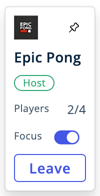
- After 2 or 4 players join the game, the host clicks the 'Start Game' button to begin!
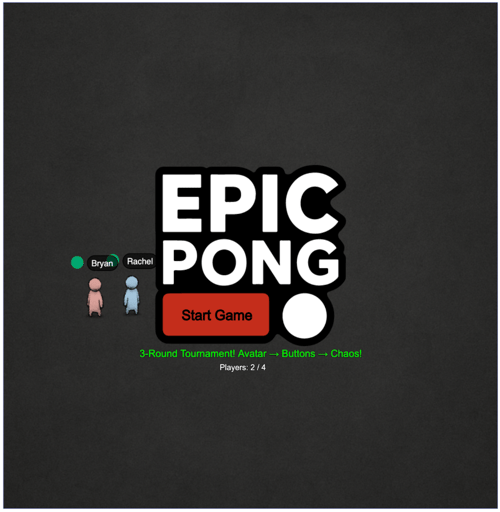
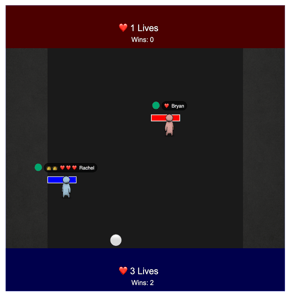
- Each player is teleported to their side of the Epic Pong game board. Your paddle is next to your avatar and your avatar color matches your side of the game board.
- Use your paddle to keep the ball in play when the it moves towards your side of the game board. Each round has different paddle controls (see step 9 for details). The direction the ball is going tells you where it's likely headed. Every time the ball is successfully hit, it changes to a different emoji!
- Multiple Balls: When there are 5 successful hits in a row, an extra ball is added! Focus on defense by covering the hard to reach angles first.
- Lives: Players lives are shown as hearts ❤️ next to their name above their avatar and as a count on their colored side of the game board. When a player's paddle misses the ball, they lose a life. Players are eliminated from a round when they lose all three lives.
- Rounds: There are three rounds in the Epic Pong tournament. The last player with remaining lives wins the round. When a player wins a round, a crown 👑 is added next to their name and the win count is updated on their colored side of the game board.
- Each round has different paddle controls:
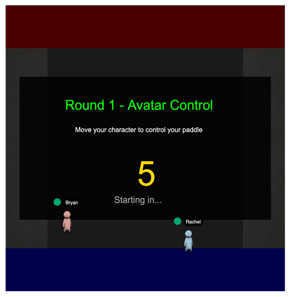
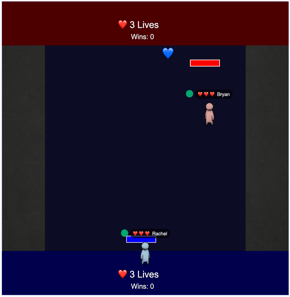
- Round 1: Avatar Control
- Move your paddle by moving your avatar. You paddle stays on your side of the game board but your avatar can move in all directions.
- Move your avatar and paddle by clicking with your mouse or pressing the arrow keys on your keyboard.
- Top or bottom side players can move their paddle side to side.
- Right or left side players can move their paddle up and down.
- Round 1 Tip: Walk smoothly, make small adjustments, and avoid big zig-zags.
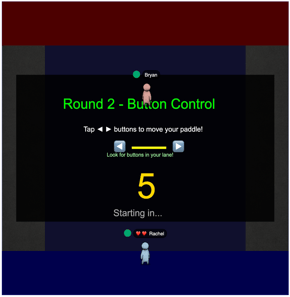
- Round 2: Button Control
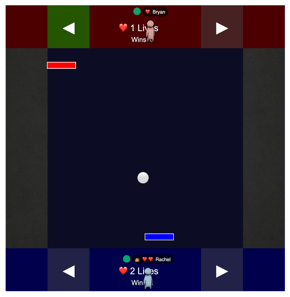
- Move your paddle by clicking the paddle (left or right arrow)

 buttons on your side of the game. Your side is the same color as your avatar.
 - When you click a paddle button once, it turns green and your paddle will continue moving in that direction. Only click the button again when you want to stop the paddle from moving or click the other button to switch directions.
- Top or bottom side players can move their paddle side to side.
- Left or right side players can move their paddle up and down.
- Round 2 Tip: Don’t chase the ball! Try leaving your paddle where you think the ball will be.
- Move your paddle by clicking the paddle (left or right arrow)
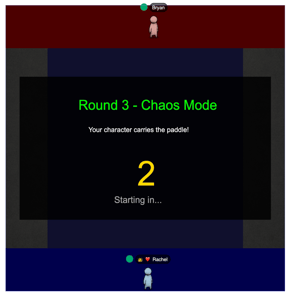
- Round 3: Chaos Mode
- Like Round 1, move your paddle by moving your avatar. But your paddle now follows your avatar anywhere on the game board!
- Move your avatar and paddle by clicking with your mouse or pressing the arrow keys on your keyboard.
- Make sure you're defending your side of the game board! Look for the side with the same color as your avatar. Keep your avatar and paddle on the inside of the game board away from your colored side.
- Round 3 Tips: Move toward where the ball is heading and cut it off. Don’t crowd other players; collisions and chaos make misses more likely.
- Round 1: Avatar Control
- The player who wins the most rounds, wins the tournament!
Tips for Playing Epic Pong
- Watch the angles. The direction the ball is going tells you where it’s likely headed.
- Center your paddle between areas the ball will likely go, especially when a second ball appears.
- Use short movements. Over-correcting is a common cause of misses.
- If your paddle isn't moving, make sure you're using the correct controls for the round.
- In Round 3 (Chaos Mode) your avatar can move inside your colored side of the game board. But if a ball enters your colored side, it will go out of bounds and count as a miss. Make sure your avatar and paddle are in the game board and not inside your colored side during Round 3!
Epic Pong for Admins
Editors, Designers, Managers, or world Owners can add the Epic Pong app to a world.
To Add Epic Pong:
- In the left sidebar, click Scenes
 .
. - Search for 'Epic Pong App' in the
 Filter Results search bar.
 - Hover over the thumbnail image and click Drop Scene
 .
.
- Click an area in the world to drop the Epic Pong app in that location.
- Players can click the 'Epic Pong' sign next to the game to open instructions in the world.