
| This article explains what the Mind the Fruit game is, how to play, and how admins add Mind the Fruit to a world. |
Keep reading to learn about:
 Tips for Playing Mind the Fruit
What is Mind the Fruit?
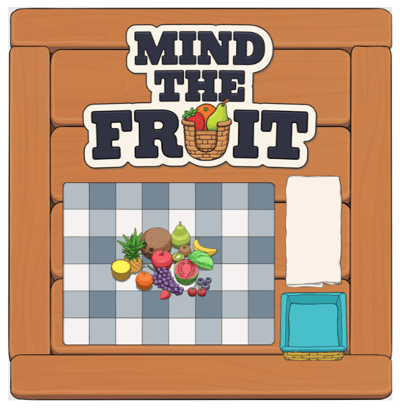
Mind the Fruit is a memory game you play with your feet. A spread of fruit appears on a picnic table game board - study it, watch the fruit disappear, then walk onto the tile where the called fruit used to be.
Players who end up in the wrong spot are sent to the Penalty Basket and sit out the rest of the game. Each round gets a little harder than the one before, and the last player left standing wins.
Mind the Fruit is a multiplayer game, so it works best with a group.
|
|
|---|
Playing Mind the Fruit
To Play Mind the Fruit:
- Move your avatar onto the Mind the Fruit game board and click the 'Join' button on the left side of your screen. The first player to click 'Join' is the host.

- Your name appears under the Players list at the right side of the board.

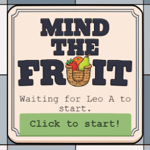
- If you are the host, Click 'Click to start!' button to begin the game. If someone else is hosting, the board shows "Waiting for [player] to start." until they begin.
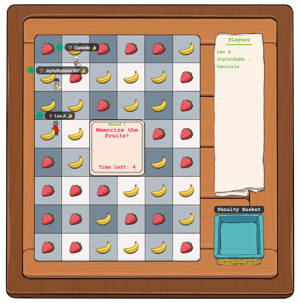
- Study the fruit on the board. Each fruit sits on its own tile. Take note of where everything is before the timer runs out.
- Watch the center of the board for the fruit that gets called for the round.
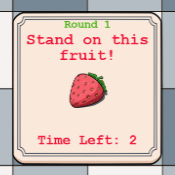
- Move your avatar onto the tile where that fruit used to be before the round timer runs out.
Note: Turn on Fast Mode to move around the board more quickly. - Stay put until the round resolves. Players standing on the correct tile move on to the next round. Players on a wrong tile are sent to the Penalty Basket and their names are greyed out in the Players list.
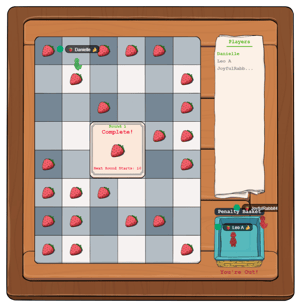
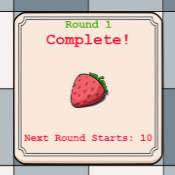
- Keep going as the rounds ramp up. After each round the board shows "Round [number] Complete" and counts down to the next round.
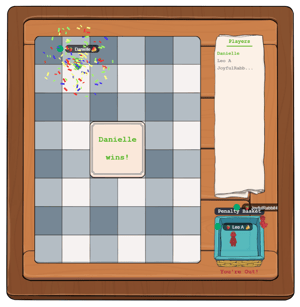
- Be the last player standing to win. When only one player is left, the board announces "[Player] Wins!"
Tips for Playing Mind the Fruit
- Pick a landmark! Remember one fruit's position relative to the edge of the table instead of trying to memorize the whole board at once.
- Use Fast Mode! Getting to the right tile before the round ends is half the game.
- Watch the early rounds closely. The first rounds are the easiest ones you'll get, the difficulty climbs from there.
- Cheer from the Penalty Basket! Eliminated players can still watch the rest of the game play out.
Mind the Fruit for Admins
Editors, Designers, Managers, or world Owners can add the Mind the Fruit app to a world.
To Add Mind the Fruit:
- Enter Builder Mode: Click Builder Mode in the left sidebar or press B on your keyboard.
- Click Scenes in the left sidebar.
- Search for 'Mind the Fruit' in the Filter Results search bar.
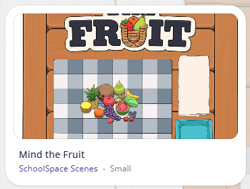
- Hover over the thumbnail image and click Drop Scene.
- Click an area in the world to drop Mind the Fruit in that location.