
| This article explains what Electric Fence is, how to add it to your SchoolSpace world, and how to play. |
Keep reading to learn about:

Adding Electric Fence to a World
What is Electric Fence?
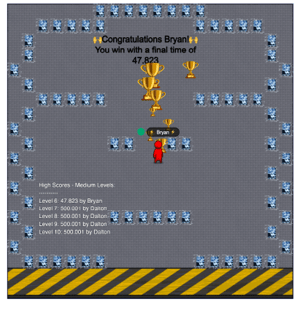
Electric Fence is a lightning fast multiplayer maze racing game. Your mission is simple: Reach the gold ball before anyone else while avoiding the electrified walls and obstacles!
 |
Playing Electric Fence
All users can play Electric Fence!
To Play Electric Fence:
- Move your avatar into Electric Fence and click the Join button on the left side of your screen.

- After you've joined the game, your avatar will turn red and lighting bolt emojis will be added to your name.
- Optional: Hover over the Games
 icon on the left side of your screen to open the menu. Toggle on Focus to keep your screen centered on Electric Fence. Click Pin
  to keep the menu open.
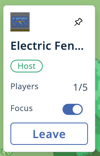
- The first player to join is the host and selects a starting difficulty level.
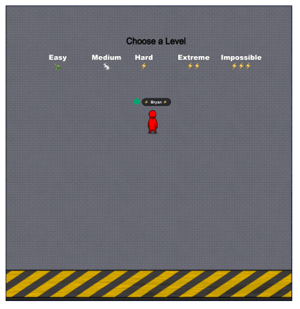
- Get Ready! Wait for the 5 second countdown to finish before the race begins. Your avatar will automatically move to the yellow start area.
- Start the Maze. Users compete, head-to-head, to get to the golden ball first, but be careful! Touching a wall or obstacle teleports you back to the yellow start area.
- Reach the Gold Ball! The first to reach the gold ball will win that level and get a celebratory effect. If it’s a new record time, their name is recorded on the leaderboard for that level.
- Next Level Loads Fast! After 5 seconds the next maze begins. Keep going and try for the fastest time!
- To leave the game, either:
- Click the Leave button on the left side of your screen.

- Walk out of the game area. This will start a 3 second countdown. After the countdown, you may see a pop-up asking you to confirm if you want to leave the game.
The first player to join Electric Fence is the host. The host chooses the starting difficulty level. If the host leaves the game, the game will end and all other users will need to rejoin to continue playing.
Electric Fence for Admins
Editors, Designers, Managers, or world Owners can add Electric Fence to a world.
To Add Electric Fence:
- In the left sidebar, click Scenes
 .
. - Search for 'Electric Fence' in the
 Filter Results search bar.
 - Hover over the thumbnail image and click Drop Scene
 .
.
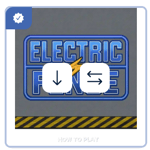
- Click an area in the world to drop Electric Fence in that location.